How to See Who Saved Your Pin on Pinterest (and What Their Boards Tell You)
How to see who saved your Pin on Pinterest: there’s no list of names, but Pin stats show the public boards it was saved to. Where to look, and how to read them.
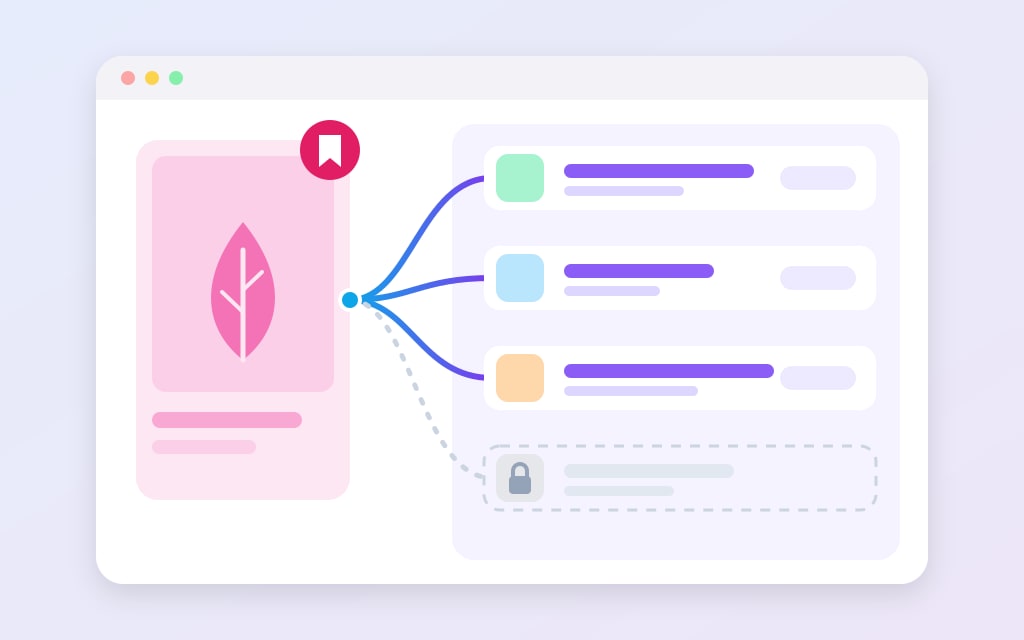
Short answer: Pinterest doesn’t give you a list of the people who saved your Pin.
What it does give you, on a free business account, is the Pin’s Saves count and a section of its stats called Saved to these boards.
That’s the public boards your Pin landed on, and each one belongs to an account you can click through to.
Pinterest hides the details of private boards there, so the list is a sample of your savers, not all of them.
Below is where to find it, why it’s shorter than your Saves number, and how to read it as data.
That last part is the one most guides skip, and honestly it’s the useful one.
A saver’s name on its own doesn’t tell you much.
What they called the board they filed your Pin into does.
It tells you which words real savers use for your Pin, and you can act on that within 7 days.
Metric
What it counts
What it quietly misses
Impressions
Times rendered on a screen
Whether anyone looked
Reach
How many separate accounts
How often each one saw it
Monthly views
Rolling 30-day impressions
Anything predictive
Saves
Filed to someone else board
Whether they ever return
Pin clicks
Opened larger on Pinterest
That they never left
Outbound clicks
Left for your website
Whether the page loaded
Nothing here is a lie. Everything here is narrower than it sounds.
Can you see who saved your Pin on Pinterest?
Partly.
Pinterest puts savers in front of you in three places, and none of them is a full list:
- Saved to these boards, inside the Pin’s stats. It lists the public boards the Pin was saved to, each with its owner. This is the main one, and it needs a business account (Pinterest’s Pin stats help).
- Save notifications, by push or email, if you’ve switched them on. Pinterest picks which ones it sends.
- Audience insights, which describes the people who engaged with your Pins as a group (age, gender, location, device, interests). It never names anyone.
What you won’t find is a plain list of every person and the minute they saved, the way you’d scroll through likes on other apps.
There isn’t one today.
Even the Saves number counts actions, not people.
Pinterest defines it as “the number of times people saved your Pin to a board”, so one person saving your Pin to two of their boards is two saves.
Older answers you’ll find on Quora describe a button that opened a list of the people who had repinned a Pin.
That was a different Pinterest.
If a guide shows you a button you can’t find, check the date on it before you go hunting.
Where to find the boards your Pin was saved to
You need a business account, because Pin stats only exist there.
It costs $0, switching keeps your Pins and followers, and you can switch back any time, according to Pinterest’s business account help.
One catch: business accounts are public, so a private personal profile has to go public before it can convert.
Our full walk-through is in setting up a Pinterest business account.
On a computer:
- Log in and click your profile picture at the top right.
- Click Created under your name.
- Open the Pin you want to check.
- Click See more stats.
- Scroll down to Saved to these boards.
In the app it’s the same route with taps: your profile picture, then Created, then the Pin, then Pin stats under it (or See more if the Pin shows a preview of its stats).
Scroll down to the same section.
Two things trip people up here.
Pin stats are for Pins you created, so a Pin you saved from somebody else has nothing for you to open.
And Pins that other people made from your website only get stats once you’ve claimed the site, which is what claiming your website on Pinterest switches on.
Why older guides send you somewhere else
You’ll see tutorials that go through Top Pins in the analytics dashboard and a See all link. Pinterest moves these menus around every so often. Pinterest’s own help showed the route above on 2 November 2026, so if it moves again, that page is where to check.
Why the board list is shorter than your Saves count
Open a Pin with a few dozen saves and count the boards in that list.
Don’t expect the two numbers to match.
Here’s what pulls them apart, mostly in Pinterest’s own words:
- Private boards stay hidden. “If your Pins have been saved to a private board, you will not see the board details here.” A secret board is visible only to its owner and the people they invite (secret boards help), and your stats page doesn’t break that.
- The count covers more than one Pin. Pinterest adds up “the data for all Pins that share an image and if applicable, a URL”, including saves made with your site’s Save button, the browser extension and from other people’s profiles. The Saves number is the whole family of copies, so compare it loosely.
- The live number is an estimate. Pinterest calls real-time Pin stats “estimates and subject to change” that “might decrease”, and says they can differ from Pinterest Analytics. If a Pin lost 2 saves in 24 hours, that may be all it is (why analytics runs behind).
- Boards change after the save. A board made secret later goes dark in the list the same way, because its details are hidden from you from then on.
And sometimes the list just misses.
In a Reddit thread about this exact section, a reply posted 3 years ago says it “barely works”.
That pinner had seen a friend’s boards holding their Pins, and those boards weren’t in the list.
So read it as a sample.
If a Pin shows 40 saves and 14 boards, you’re reading 14 data points, not 40.
That’s plenty to spot a pattern.
It isn’t enough to say “nobody files this under X”, because the people who would might all keep secret boards.
A follower
Nothing
Someone with your username
Nothing
Google
Nothing
Pinterest search
Nothing
A collaborator you invited
Everything, forever
Four rows of nothing, and one row that is the entire risk. Guess which one people worry about.
How to read savers’ board names as keyword data
Here’s the reason to bother with any of this.
A saver who files your Pin onto a board has just told you, in a couple of words, what they think it’s about.
Collect those words across a few Pins and you’ve got a keyword list from people who acted on your Pin, not people who only typed something.
One wrinkle first.
When someone creates a new board while saving, Pinterest says it “may suggest a board name for you based on your activity”, and they can edit it before they create the board (saving Pins help).
So some board names are Pinterest’s wording, not the saver’s.
That’s fine for this job.
Either way, it’s the label your Pin is being filed under.
- Pick 3 to 5 of your Pins with the most saves over the last 90 days.
- Copy every visible board name into one column of a sheet, one row per board.
- Split the names into words, drop the filler (“my”, “ideas”, “stuff”, emoji) and count what’s left.
- Put the Pin’s target keyword next to the three most common words and compare.
You’ll land in one of three places.
Take a made-up Pin aimed at “small kitchen storage” to see each one (I’d honestly do this exercise on paper the first time, it’s quicker than it sounds):
- It matches. Boards say “kitchen”, “kitchen organization”, “small kitchen”. Your Pin is being filed where you aimed it, so make more Pins for that phrase.
- It points next door. Now the boards say “apartment”, “rental”, “renter friendly”. Savers see a renter’s fix, not a kitchen idea. That’s a second phrase your Pin already earns saves for, and it deserves its own Pin with that phrase in the title (writing Pin titles that rank).
- It’s all over the place. Think “Home”, “yes”, “someday”, “pretty”. These are mood boards, and there’s no single phrase to chase. The Pin is being saved for its looks, so check it earns clicks too before you copy it.
The next-door case is the one worth hunting.
It’s a keyword you didn’t pick, backed by people who already saved the Pin, and you got it for free.
Once you have the phrase, the next questions are numbers.
How much engagement do the Pins ranking for it earn, and where does your Pin sit for it today?
That’s the part PinPinterest measures: demand from the saves real Pins earn on a keyword, and rank tracking for the keywords you save.
Board names tell you which phrase to test.
Demand and rank tell you if it’s worth a new Pin.
Save notifications: names as they happen, but not all of them
Pinterest’s notification settings list Saves under “Pins you saved”, for email and for push.
Switch them on and you can hear about saves without opening your stats.
There are two limits.
First, Pinterest decides what to send: “We do our best to only send you notifications we think you’ll want to read.”
So it’s a feed, not a log.
Second, people notice the gaps.
In a Reddit thread from 3 years ago asking how to see who saved your Pins, one reply says they’d stopped getting notified about which of their Pins other people were saving.
If you want a running record anyway, there’s an old trick in a Quora answer from about 10 years ago: send the save notifications to email and filter them into their own folder.
Settings screens have moved since then, but the email switch for Saves is still on the list.
Just don’t make decisions from that folder alone.
It holds whatever Pinterest chose to tell you about, so it can’t say anything about the saves it skipped.
For how many, trust the Saves count in your stats.
For what, read the board list.
Is there a way to see when someone saved a Pin?
You can see the day.
For the person and the moment together, you need a notification, if one arrives.
In Pin stats, click Saves above the graph and set the Date range.
You’ll see which days the saves landed.
You can also filter by Content type, Device or Source, or split the graph by them, as Pinterest’s Pin stats help describes.
Honestly, that timeline is often more useful than a name.
A burst of saves on one day, with little before or after, suggests the Pin was shown somewhere new for a while.
A slow, steady line suggests it’s holding a spot in search.
A graph can’t tell you which, but it tells you which question to ask next.
To tell a breakout from a slow climb in numbers, look at save velocity, meaning saves per day since the Pin went live.
Can you see who looked at your Pins?
No.
Views are counts, and none of them come with names.
Pin stats give you Impressions (“the number of times your Pins or ads were on screen”), Profile visits (“the number of people who visited your profile after viewing your Pin”) and Follows, the followers gained from that Pin.
If you’re fuzzy on what an impression really counts, Pinterest impressions explained covers it.
Video Pins add more counts, and Pinterest defines each one precisely.
A video view is a playback of at least 2 seconds in a row with 50% of the video in view, a 10-second play is a view of 10 seconds or more, and “played at 95%” means it reached 95% of its length, skipping ahead included.
Precise, and still anonymous.
For a rough “who”, it turns out the place to look is Audience insights.
Your engaged audience there is “the number of people who have engaged with your Pins”, broken down by age, gender, location and device, plus the categories and interests they lean toward.
It covers the last 30 days, and on desktop you can export it as a CSV (audience insights help).
Put the two side by side and it gets interesting.
Board names tell you what savers call your Pin, and Audience insights tells you who they are as a group.
If your engaged audience leans hard into an interest you never make Pins for, that’s the same next-door keyword as above, found from the other end.
Can people see when you save their Pins?
Flip it around for a second, because you’re a saver too.
If you save someone’s Pin to a public board and they have a business account, your board can show up in their Saved to these boards list, and they can click through to it.
Save it to a secret board and its details stay hidden from them.
Your save still lands in the creator’s count, but they never see the board.
Your public boards are also public in the plain sense: anyone who opens your profile can see them.
There’s a full map of who sees what in can people see what you pin, and the edge cases of private boards are in are Pinterest secret boards really private.
Strangers
Followers
Nobody
Saving a pin
Following a board
Your board list
Commenting
Searching
Just looking
Hiding a pin
Above the dashed line you are filing. Below it you are only looking. That is the whole rule.
A saver read: 20 minutes, every 3 months
This isn’t a daily check.
Board names shift slowly, and a handful of Pins tells you most of what you need.
Here’s the routine I’d run, with a timer set to 20 minutes:
- Open Pinterest Analytics, set the last 90 days and note your top 5 Pins by saves.
- For each one, open Pin stats and copy the visible board names into your sheet, with the Pin’s Saves count beside them.
- Tally the words and mark each Pin as a match, next door, or mood boards.
- For every next-door phrase, check what the Pins ranking for it earn and where yours sits, then decide: a new Pin, a new title, or leave it.
- Glance at Audience insights for anything new among the top interests.
- Write today’s date at the top of the sheet, so next quarter you can compare.
Then stop.
It’s easy to start clicking through savers’ profiles and lose an afternoon, and a stranger’s other boards rarely change what you should make next.
If you want the full picture of which numbers deserve a decision, start with the 12 Pinterest metrics that matter most.
One more thing: please don’t message the people you find.
They saved a Pin quietly, the way most people use Pinterest, and a note from its creator is more likely to feel odd than friendly.
Turn your savers’ words into keywords you can track
Next: what a save actually signals, in Pinterest saves explained, or the bigger list of Pinterest metrics that matter.
#pinterest saves#pin stats#pinterest analytics#who saved my pin
More in Analytics11 other guides in this categorySee all