For reviewers and writers
If you write about Pinterest tools, this page has what you need to test PinPinterest fairly: what it measures, what it does not, how to try it in ten minutes, and a review account.
What it is
See what actually works on Pinterest. PinPinterest is a read-only Pinterest analytics tool: it measures public Pinterest data so creators and shops can see which keywords have demand, which pins are gaining saves, and whether Pinterest has quietly restricted any of their own pins.
Where the demand number comes from
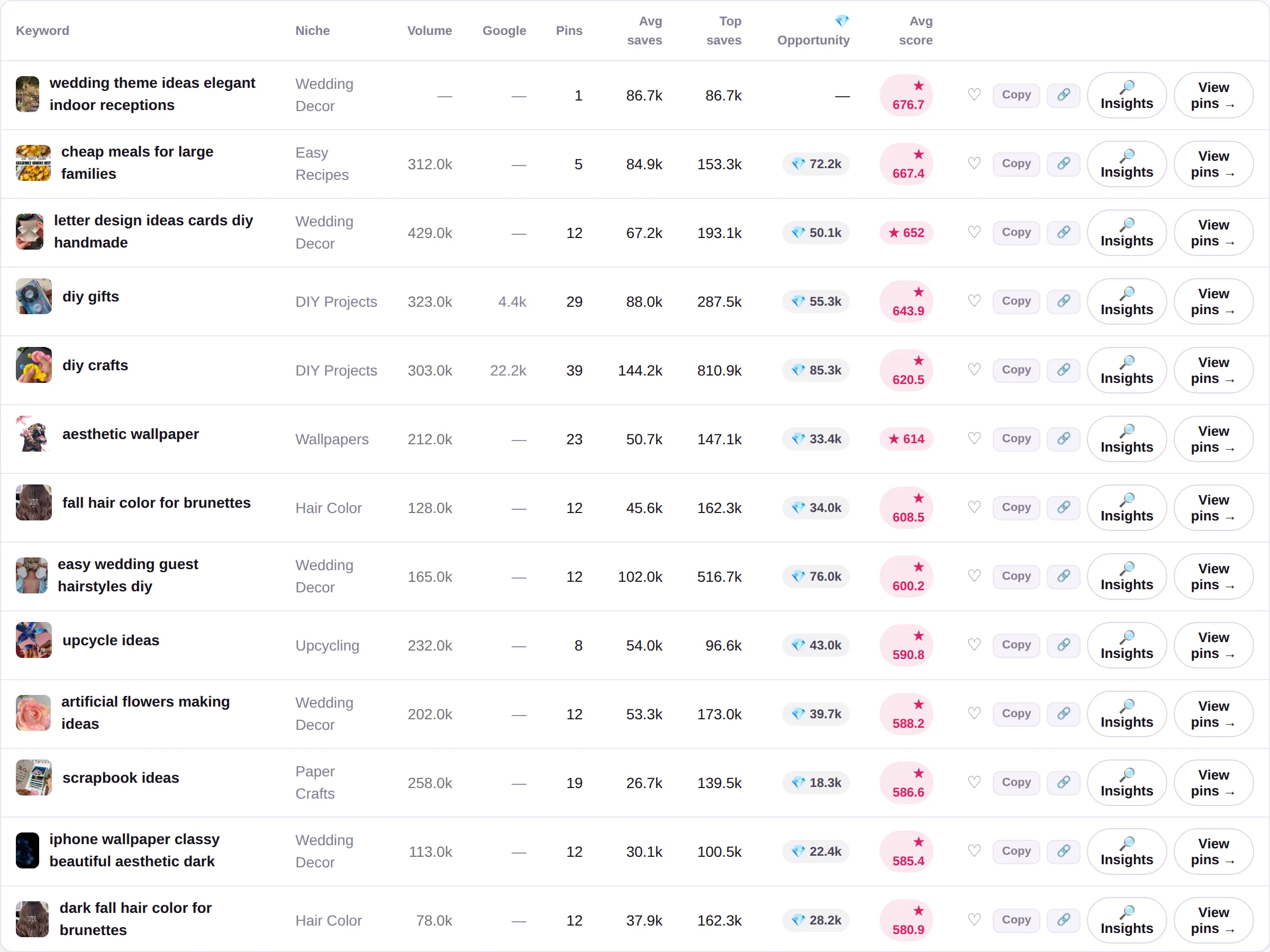
Pinterest does not publish how often a word is searched. The Volume column in PinPinterestis our own estimate, and the app says so where the number is shown:
Estimated monthly Pinterest searches. Pinterest does not publish search counts, so this is modelled from how fast pins for the term gain saves — not reported by Pinterest.
Demand, competition and the verdict on a keyword come from the public pins that rank for it: how many there are, how many saves they carry and how fast they gain more.
What it does not do
- It is NOT a Pinterest scheduler. It does not publish, schedule or automate pins, and it never posts on anyone's behalf.
- It does NOT connect to, log into or require access to your Pinterest account. It is read-only and works entirely from public data, so it cannot affect your account's standing.
- It does NOT report Pinterest's private search-volume numbers, which Pinterest does not publish. Demand is measured from the engagement of the pins ranking for a term, and is labelled as such.
- It does NOT guarantee results. Reach depends on the niche, the work and the starting point.
Five things to test in ten minutes
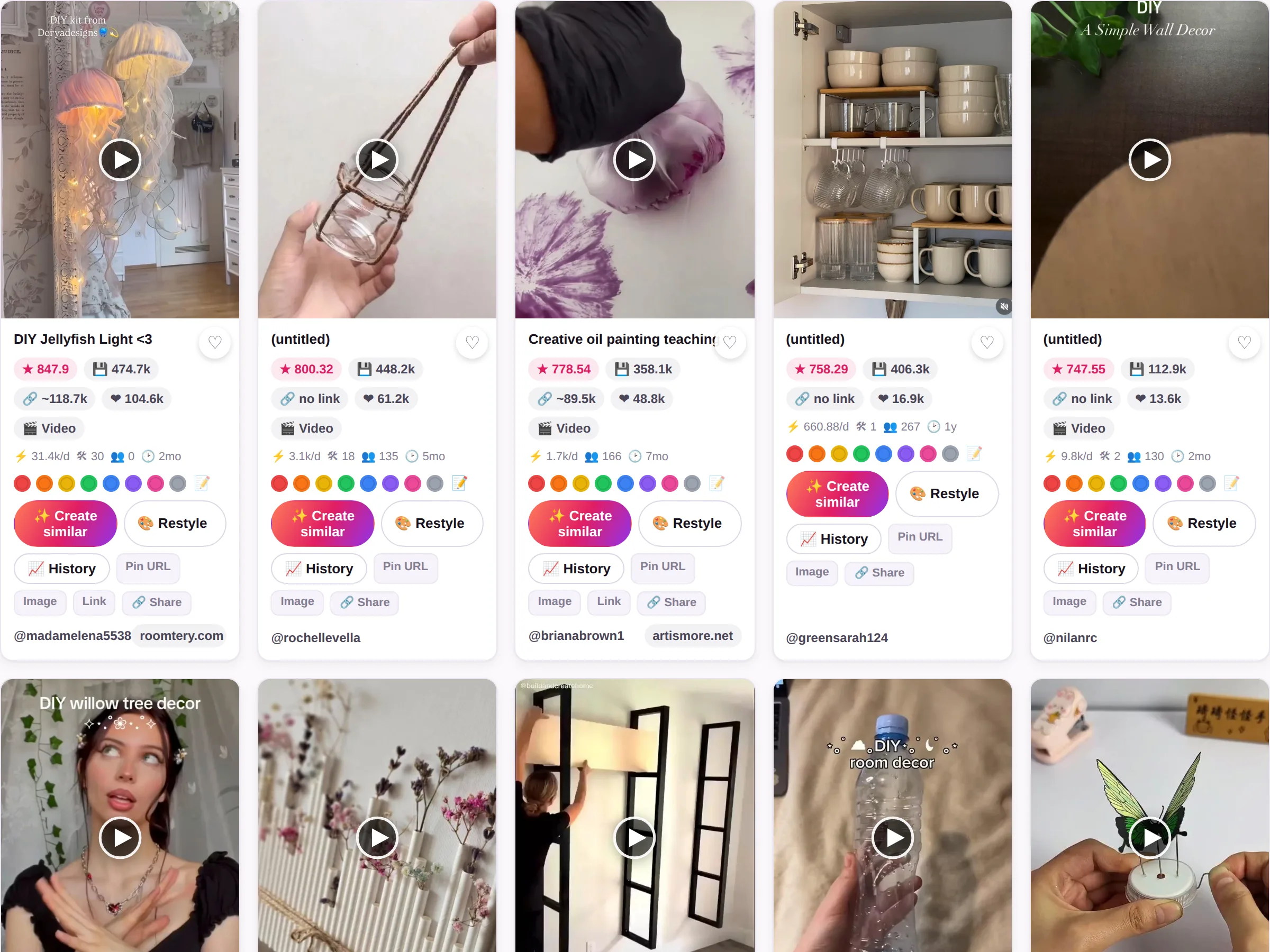
- Check one keyword from your own niche. Type it into Keywords. You get its demand, its competition and a plain verdict, and the pins that rank for it, ordered by saves.
- Ask where the demand number comes from. Hover the Volume column in Keywords. It is our estimate of monthly Pinterest searches, modelled from how fast the pins for the term gain saves, and the column says so.
- Look up an account you know. Search a public Pinterest account in Accounts: its top pins, the keywords it ranks for and how it has grown.
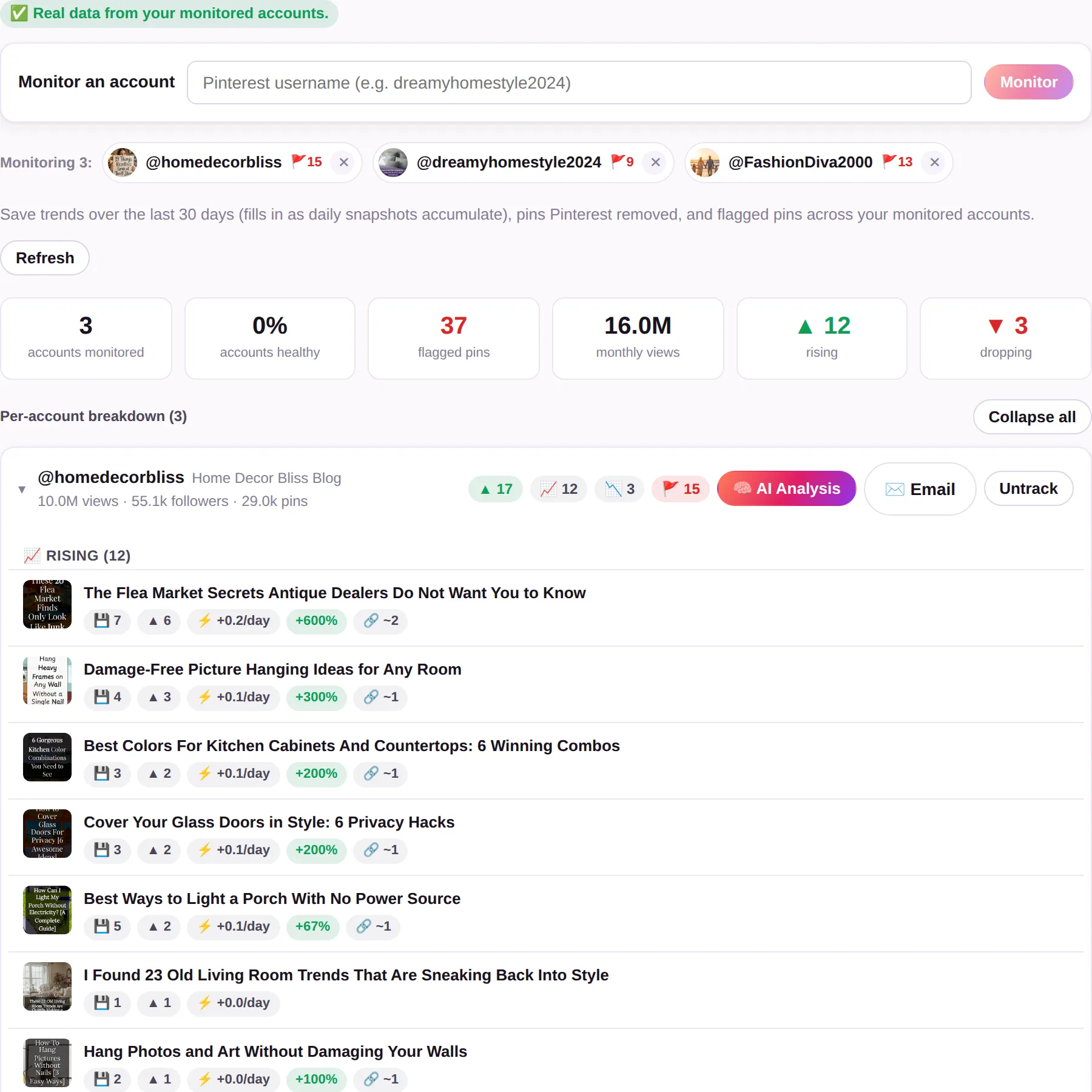
- Run Account Health on your own pins. It checks each pin for the quiet restrictions: the Visit Site button removed, the link blocked, the pin de-indexed or deleted.
- Watch a trend move. Open Trends and pick a niche you write about: the keywords and pins gaining saves now, not last year.
Ask for a review account
Three days is short for a fair review. Start the free trial (no card), then send this form from the same e-mail address, and we will give that account 30 days of Pro, by hand. There is no script and no required post: write what you find, good or bad.
If you would like to earn from it
Our affiliate programme pays 30% of every payment from the people you send, for as long as they stay. A review that links to us can use it; say plainly that you earn a commission. How the affiliate programme works.
Press kit
Use these as they are. The name is written PinPinterest, one word.
The one-paragraph description is the one under What it is, above. Questions about the product: [email protected]. PinPinterest is not affiliated with or endorsed by Pinterest, Inc.