Do Pinterest Video Pins Work in 2026? A Practical Guide
Video pins get big reach on Pinterest — but reach isn’t clicks. Here’s when video pins are worth the effort, when they aren’t, and how to use them without wasting time.
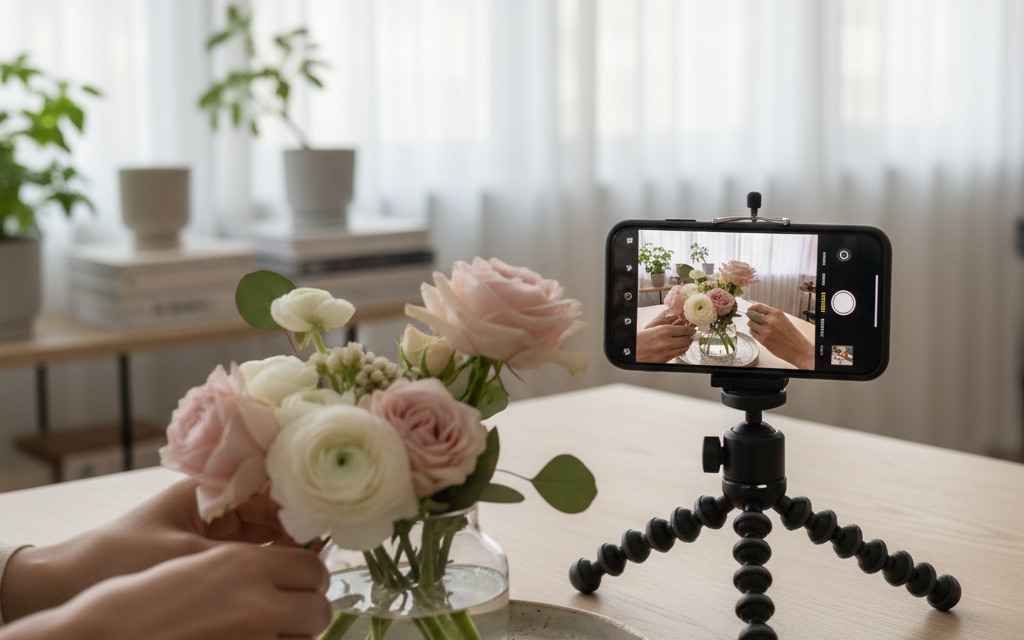
Video pins are one of those things everyone tells you to “just do” without saying whether they’re actually worth it.
So here’s the straight answer, from someone who’s tested both: video pins can get you a lot of reach, but reach and clicks are not the same thing.
Whether they’re worth your time depends entirely on your goal.
Let’s make it clear.
A quick definition so we’re on the same page: a video pin is exactly what it sounds like — a short video (a few seconds to a minute) instead of a static image, that autoplays as people scroll.
It stands out in a sea of still images, which is its whole superpower and also its catch.
VideoStatic
Reach
Saves
Outbound clicks
Watch / engage time
First, are video pins even worth your time?
Let’s address the anxiety head-on, because a lot of creators feel guilty for not doing video.
Here’s the freeing truth: video pins are a nice-to-have, not a must-have.
Plenty of accounts drive enormous traffic with static pins alone and never touch video.
So if the thought of making videos is what’s stopping you from pinning at all, skip them for now — a consistent stream of static pins beats zero pins because you were intimidated by video.
That said, video is genuinely worth considering if two things are true: you already have short video lying around to repurpose, and your goal for this season leans toward reach and building an audience rather than pure clicks.
In that case, video is a low-effort way to grab extra attention.
The decision isn’t “video or nothing” — it’s “does adding video make sense for my goal right now?”
So keep this in perspective as we go.
Everything below helps you use video well — but none of it means static pins are somehow lesser.
For most creators, static remains the workhorse, and video is the occasional bonus lap.
Match the format to the job and you can’t really go wrong.
What video pins are genuinely good at
Movement stops the scroll.
Video pins often earn more impressions and in-app engagement than static ones, which makes them excellent for brand awareness, demonstrating a process (recipes, DIY, tutorials), and building a following.
If your season’s goal is growing an engaged audience, video is a strong lever.
One thing that makes video pins attractive: they can feel less “saturated” than static pins in some niches, simply because fewer creators bother to make them.
When most of a search feed is still images and yours moves, you stand out.
That novelty won’t last forever, but right now it’s a genuine little edge — especially in niches like food, DIY and beauty where showing a process is naturally satisfying to watch.
If that’s your world and you’ve got clips to spare, video is an easy way to grab extra eyeballs.
Where they fall short
Here’s the honest bit: video pins are often weaker at driving outbound clicks to your site.
People watch, engage, keep scrolling — but they don’t always leave Pinterest.
So if your entire goal is traffic to a blog or shop, a well-optimised static pin frequently out-clicks a video.
This is the same reach-versus-traffic trade-off I cover in Idea Pins vs standard pins.
The design still has to do its job
A video pin isn’t exempt from the fundamentals.
You still need a bold keyword headline (many people watch with sound off, so on-screen text is essential), one clear focal idea, and your handle.
Treat the first frame like a static pin — because for a lot of viewers, it basically is.
1
Bold keyword headline
The searched phrase — big and readable
2
High-contrast hero image
One clear focal point for the thumb
3
Your logo or handle
Small corner mark that builds trust
4
A clear benefit / promise
Tells a human exactly why to click
SEO works the same for video
Video pins rank in search just like static ones, on the same signals: your title, description, on-screen text, board and destination page.
So all your keyword research and Pinterest SEO apply exactly.
A beautiful video with a vague title still can’t rank — Pinterest can’t index a vibe.
The smart way to use video pins
- Use video for awareness and follows; use static pins for clicks and traffic.
- Repurpose short video you already have (Reels, TikToks) — don’t create from scratch.
- Always add on-screen keyword text for the sound-off, search-driven crowd.
- Don’t abandon static pins — for most creators they’re still the traffic workhorse.
The honest verdict
Video pins are a great supplement, not a replacement. If you already make short video, absolutely repurpose it for reach and follows. If you’re starting from zero and need traffic, put your energy into fresh, keyword-optimised static pins first.
How to make a video pin worth watching
If you do make video pins, a few fundamentals separate the ones that perform from the ones that flop.
The biggest is the first second — Pinterest autoplays video as people scroll, so your opening frame has to stop the thumb instantly.
Lead with the payoff or the most eye-catching moment, not a slow intro.
Nobody waits around on Pinterest.
- Hook in the first second — show the result or the most striking moment up front.
- Add on-screen text with your keyword — most people watch on mute, and Pinterest reads it too.
- Keep it short — a few seconds to under a minute; make your point and stop.
- Design the cover frame like a static pin — bold headline, one clear focus.
- End with a clear next step so viewers know where to go.
Notice that half of that list is just good static-pin design applied to the first frame.
That’s the theme: video adds motion on top of the fundamentals, it doesn’t replace them.
A video pin with a vague cover and no on-screen text is just a static dud that happens to move.
Repurpose, don’t reinvent
The single best way to use video pins without drowning in work is to stop making them from scratch.
You almost certainly already have short vertical video — Reels, TikToks, Shorts, quick clips from your phone.
Trim one, slap on a keyword headline, and you’ve got a video pin in minutes.
Because Pinterest content is evergreen, a clip that had a 48-hour life on another platform can quietly keep working here for months.
If you want to know which of those clips earned its place, the free TikTok engagement rate calculator works out each one’s rate from its views, likes, comments, shares and saves.
One setting to decide once: whether other people can download your full-screen video Pins.
If you turn it on, Pinterest puts your username on the downloaded video as a watermark; if you leave it off, people can still save your video to their boards.
This repurposing mindset is the whole reason video becomes worth it: near-zero extra effort, bonus reach.
It’s the same efficiency principle behind turning one blog post into 30 pins — squeeze many pieces of Pinterest content out of things you already made, instead of always starting from a blank canvas.
Don’t abandon what works for what’s shiny
Video is exciting, so it’s tempting to pour all your energy into it. Resist that. For most creators, fresh keyword-optimised static pins are still the reliable traffic workhorse. Add video as a supplement for reach and follows — not a replacement for the pins that actually pay.
Measure the right outcome
Because video and static do different jobs, judge them by different numbers.
Don’t celebrate a video pin’s impressions if your goal was clicks — watch outbound click rate and whether it actually drove visits.
The trick is comparing formats on the outcome you care about, which native analytics makes surprisingly hard.
That’s where the metrics that matter and PinPinterest come in — so you can see which pins, video or static, are truly earning momentum and clicks, and double down on the winners.
Static pins still carry most of the load, and the free Pinterest pin maker turns a single frame from your video into a 1000×1500 pin in a couple of clicks, free and unwatermarked.
See whether your video or static pins actually drive clicks
#pinterest video pins#video pins#pinterest formats#pinterest reach
More in Strategy15 other guides in this categorySee all