How Many Views on Pinterest to Get Paid? The Number Hiding in Your Click Rate
How many views on Pinterest to get paid? Pinterest pays nothing per view, so work out the views you need from your own click rate and earnings per click.
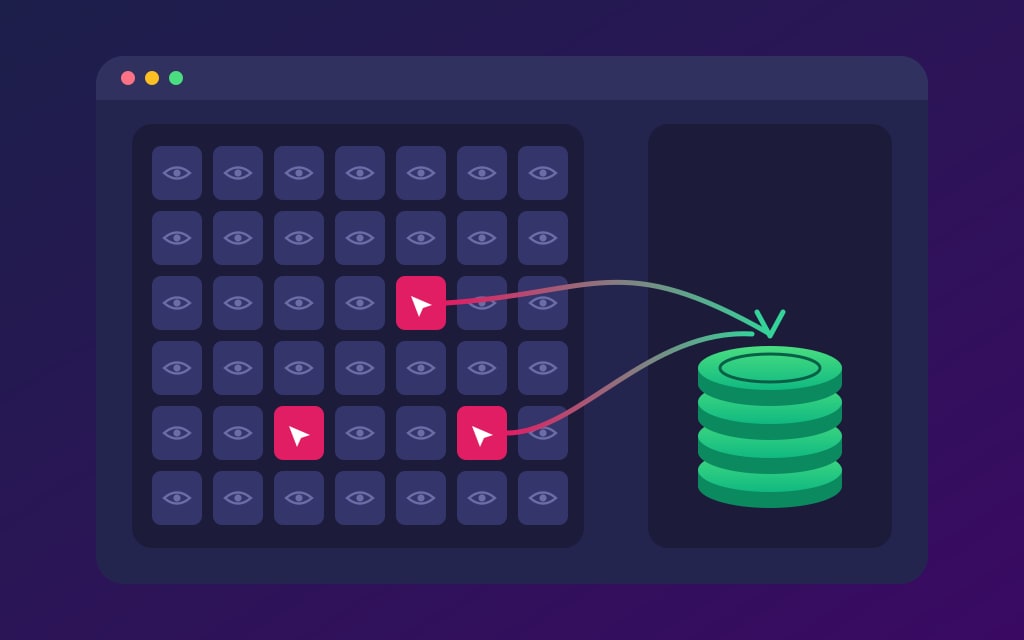
Short answer: there’s no number, because Pinterest doesn’t pay for views.
Ten views and ten million views earn the same from Pinterest itself, which is nothing.
Your money comes from whoever is on the far side of the click: an affiliate program, an ad network, a brand or your own customers.
So the number worth knowing is personal.
Monthly views needed = income goal ÷ (outbound click rate × earnings per outbound click).
At a 0.5% click rate and 8 cents a click, $1,000 a month takes 2.5 million views.
At 1% and 20 cents, it takes 500,000.
Keep reading for who pays and what they count, how to pull both inputs from your own Pinterest Analytics, what the ad networks’ entry bars work out to in Pinterest views, and what to fix first when the views are big and the bank balance isn’t.
Does Pinterest pay you for views?
No.
Pinterest doesn’t handle payment for product tags, affiliate links or brand partnerships.
You agree the terms with the brand or the affiliate program, and they pay you.
Views don’t come into it at any account size.
The closest Pinterest came was Creator Rewards, which paid cash for Idea Pins built around monthly prompts and engagement goals.
It shut down on November 30, 2022, and the belief that views pay has outlived it by years.
One creator passed 60,000 monthly views in about six weeks, had read online that 40,000 impressions should bring in $30, and asked when the money would start.
It wasn’t going to.
By then the program had been closed for nearly two years.
One door is still open a crack.
The Pinterest Inclusion Fund is an incubator that gives selected creators coaching and financial support, and its 2026 round closed to applications on August 4.
You apply, you may not get in, and nothing about it pays per view.
Cash per save is a warning sign
A business can’t pay people for each board they follow or Pin they save. Pay-per-click arrangements like affiliate links are fine. An offer of money per save or per follow breaks Pinterest’s rules, so walk away from it.
Who actually pays you, and what each one counts
Four kinds of payer can send you money because of Pinterest.
None of them counts views, which is why monthly views can’t be turned into dollars on their own.
- Affiliate programs count sales or leads through your link. Pinterest isn’t part of those agreements, so the commission and the payout rules are whatever the program set.
- Ad networks on your site count sessions or pageviews on your own pages, then pay per thousand. A Pin on someone’s screen is neither of those.
- Brands pay for whatever you agree on, and those deals are made outside Pinterest. This is the one payer that may care about reach, which is why Pin performance and audience insights belong in your media kit.
- Your own customers pay for a product or service, and selling digital products has no traffic bar to clear before the first sale.
For three of those four, money starts with a click that leaves Pinterest.
That click is the outbound click, and it’s the first number in your Analytics with a dollar value attached.
The full list of ways people earn is worth a read once you know which payer suits you.
Feels good
Worth acting on
Impressions
Save velocity
Monthly views
Outbound click rate
Follower count
Keyword rank
Total pins
Pin health flags
How many views do you need to make $1,000 on Pinterest?
Two inputs decide it, and you can measure both.
Outbound click rate is the share of your impressions that become clicks off Pinterest.
Earnings per outbound click is what those clicks brought in, divided by how many there were.
Multiply the two together and divide your goal by the result.
The sum
Monthly views needed = income goal ÷ (outbound click rate × earnings per outbound click). Write the click rate as a decimal, so 0.5% is 0.005.
Say your click rate is 0.5% and your goal is $1,000 a month.
- Blog with display ads, if it earns $20 per 1,000 visits, so 2 cents a click: 10 million views.
- Affiliate links, if you earn one $8 commission per 100 clicks, so 8 cents a click: 2.5 million views.
- Your own $20 digital product, if you make one sale per 100 clicks, so 20 cents a click: 1 million views.
Now move the click rate and leave the money alone.
At 1%, those become 5 million, 1.25 million and 500,000.
At 0.25%, they double to 20 million, 5 million and 2 million.
That’s a 40-fold spread between the best case and the worst for the same $1,000, and it’s why a single dollars-per-1,000-views figure can’t describe your account.
It helps to run it the other way as well.
At 0.5%, 10,000 monthly views is 50 outbound clicks, which comes to $1 with ads, $4 with affiliate links or $10 with the product.
At 100,000 views you have 500 clicks and $10, $40 or $100.
Treat those as ceilings.
Not every outbound click turns into a counted visit, and a visit isn’t the same thing as a click on your affiliate link.
That’s the reason earnings per click should come from money that really arrived, once you have some.
Find your own outbound click rate in Pinterest Analytics
You’ll need a business account, since Pinterest Analytics only comes with one.
It’s easiest on a computer.
- Open Pinterest Analytics and stay on the Overview page.
- Pick a custom date range covering the last 90 days. Your data goes back a year and a half, so you can pull the same 90 days from last year too.
- Set Content type to Organic, so ads don’t flatter the rate.
- Note your Impressions, Outbound clicks and Outbound click rate. That rate is the clicks to your Pins’ destination links divided by the number of times your Pins were on screen.
- Click Export for a CSV, and keep it so you can compare next month.
Use the impressions from this screen, not the big figure under your profile name, which swings for its own reasons.
Two details can throw the rate off.
Leave Use real-time estimates switched off, because figures from the last 48 hours can fall later.
And outbound clicks only count from the date a link was added, so a Pin that got its link late looks weaker than it is.
Earnings per click is a two-line job.
Add up what your site earned from Pinterest visitors in one month, then divide by that month’s outbound clicks.
Google Analytics can split Pinterest visitors out for you.
If you haven’t earned anything yet, borrow your whole site’s average per visit and remember it’s a stand-in.
The ad networks’ entry bars, converted into Pinterest views
Ad networks are the one payer with a published door, and that door is measured on your site.
Imagine Pinterest were your only traffic and every click landed as one session or pageview.
Here’s what each bar would cost in views.
- **Journey by Mediavine needs 1,000 sessions from Tier 1 countries, including the U.S., Canada, the U.K. and Australia, inside 30 days. At a 0.5% click rate that’s 200,000 views, and at 1% it’s 100,000**.
- **Raptive dropped its minimum to 25,000 monthly pageviews in October 2025, with at least half from the U.S., U.K., Canada, Australia or New Zealand on sites under 100,000 pageviews. At 0.5% that’s 5 million views, and at 1% it’s 2.5 million**.
- **Mediavine’s main program** is set in money, at $5,000 a year in ad revenue, so no view count gets you in.
Real sites land below those totals, because a reader who opens two pages counts twice for pageviews, and Google traffic counts too.
Both networks also judge content quality, so traffic is only half of getting in.
These bars have moved a lot lately, so check the current requirements before you count on one.
Is 1,000 monthly views on Pinterest good enough to earn anything?
Not on its own.
At a 0.5% click rate, 1,000 views is 5 outbound clicks in a month, so even the 20-cent product above makes $1.
As a sign of life it’s fine.
Your Pins are being shown, and you now have something to measure.
If you want to know how your count compares, the benchmarks by account size cover that.
For money, the comparison that matters is against yourself.
Did the click rate or the earnings per click go up since last month?
Can you get paid with 500 followers?
Yes, because none of the doors count followers.
An affiliate program pays on the sale, an ad network looks at your site, and a customer has no idea how many people follow you.
The paid partnership tool asks for a free business profile rather than a follower count, and it lives only in the Pinterest app.
Where you live can matter more.
Last year the paid partnership tool was in over 30 countries, and product tagging with affiliate links in select markets, so check yours before you build around either one.
A small account can still land a brand deal, though the brand will want proof that your audience fits.
Whatever you do, be open about the commercial side of your Pins, and add the paid partnership label before you publish, because it can’t be added afterward.
Why 100,000 views can earn less than 10,000
Your views total adds up very different Pins.
Some have no link.
Some reach people who came for a pretty picture and will never leave the app.
That’s how one account can out-earn another with far fewer views.
- Account A: 100,000 views at a 0.1% click rate is 100 clicks. At 2 cents a click, that’s $2.
- Account B: 10,000 views at a 1.5% click rate is 150 clicks. At 20 cents a click, that’s $30.
Account B has a tenth of the views and 15 times the money.
To see which Pins are doing the earning, open Top Pins on the Overview page.
It sorts by impressions at first, and you can switch it to outbound clicks.
Put the two lists side by side.
A Pin near the top for impressions and missing from the outbound list is the one inflating your total.
What to change first when the views are high and the money is zero
Work down this list in order.
Each step is cheaper than the next, and a later fix is wasted while an earlier one is still broken.
- Check the links. Open your top 10 Pins by impressions. Any with no link, or a link that’s gone stale, is a free fix.
- Read the click rate per Pin. Lots of impressions and almost no outbound clicks usually means the image answers the whole question, or the Pin is reaching people who weren’t looking to act. Rewrite the promise on a fresh Pin and compare the two after a few weeks.
- Look after the click. If clicks are healthy and money isn’t, the trouble is on your page. Work out your clicks per sale before you touch another Pin.
- Only then chase more views. Once a click is worth something, more impressions multiply it, and the time you spend on keyword research finally pays back.
Keep one row a month in a spreadsheet: impressions, outbound clicks, click rate, earnings, earnings per click, and views needed for your goal.
Watch that last column.
If it falls, you’re getting closer, even in a month when your total views stay flat.
Once you know which Pins earn, the next question is which searches they turn up for.
PinPinterest’s rank tracking shows where your Pins rank on the keywords you save, so you can aim the next batch at the searches that already bring clicks.
Find the searches behind your best Pins
#monthly views#outbound clicks#pinterest income#pinterest analytics
More in Monetization4 other guides in this categorySee all